Using the Paged List with Boundary Callback in Android

In this post, I will explain how to use the Android Paged list with a boundary callback. The idea is to see an example where both the network and the local database is involved. We would be using Kotlin for the whole example.
Introduction
In this post, we will be using the Android Paged List to populate a RecyclerView with data from the DB. The DB is populated using network calls. Here’s the flow:
- The
RecyclerViewwill observe the local DB to display the items in the list. - The calls are paginated ie. at a time 10–20 items are loaded and more items are loaded when the user scrolls down.
- Whenever a boundary condition is met(start/end of the list), a network call is made to fetch new data. The data is fetched and inserted in the DB.
- As the
RecyclerViewis already observing the DB, it populates the list with new data when required.
Prerequisite
In this article, I will assume that you are using Room persistence in your app. If you want a quick guide on getting started with Room, you can take a look at my post about it.
How to use Room Persistence library in Android using Kotlin
Dependencies
Add the following library dependencies in the app/build.gradle file. We would be using -ktx dependencies as we are using Kotlin in the app.
implementation "androidx.paging:paging-runtime-ktx:2.1.2"
implementation "androidx.paging:paging-rxjava2-ktx:2.1.2"
Add a Recycler View holder
First, let’s add a simple ViewHolder for our RecyclerView. The view holder is the same as what you normally use for your RecyclerView.
class UserViewHolder(inflater: LayoutInflater, parent: ViewGroup) :
    RecyclerView.ViewHolder(inflater.inflate(R.layout.layout_user, parent, false)) {
    private var tvUser: TextView? = null

    init {
        tvUser = itemView.findViewById(R.id.name_tv)
    }

    fun bind(user: User?) {
        tvUser?.text = user?.firstName
    }
}
Add a Recycler View Adapter
Next, we will add a ListAdapter for our recycler view. Notice, that we extending the PagedListAdapter instead of the RecyclerViewAdapter .
class UserListAdapter internal constructor() :
    PagedListAdapter<User, UserViewHolder>(DIFF_CALLBACK) {
    /**
     * Initializes the view holder with contribution data
     */
    override fun onBindViewHolder(holder: UserViewHolder, position: Int) {
        holder.bind(getItem(position))
    }

    /**
     * Creates the new View Holder which will be used to display items(contributions) using the
     * onBindViewHolder(viewHolder,position)
     */
    override fun onCreateViewHolder(
        parent: ViewGroup,
        viewType: Int
    ): UserViewHolder {
        val inflater = LayoutInflater.from(parent.context)
        return UserViewHolder(inflater, parent)
    }

    companion object {
        /**
         * Uses DiffUtil to calculate the changes in the list
         * It has methods that check ID and the content of the items to determine if its a new item
         */
        private val DIFF_CALLBACK: DiffUtil.ItemCallback<User> =
            object : DiffUtil.ItemCallback<User>() {
                override fun areItemsTheSame(
                    oldContribution: User,
                    newContribution: User
                ): Boolean {
                    return oldContribution == newContribution
                }

                override fun areContentsTheSame(
                    oldContribution: User,
                    newContribution: User
                ): Boolean {
                    return oldContribution == newContribution
                }
            }
    }
}
In the adapter, we add a DIFF_CALLBACK object. This is used by the PagedListAdapter to compare two objects and check if they are the same.
Define a Data Source
In your Dao class add a method that returns DataSource.Factory . The paged list will consume this to get items from the DB in a paginated manner.
@Query("SELECT * FROM user")
fun fetchUsers(): DataSource.Factory<Int, User>
Define a Boundary Callback
This is the interesting part where we extend PagedList.BoundaryCallback to add a boundary callback for our RecyclerView . This class has three important methods:
onZeroItemsLoaded: It is triggered when the list has no items.onItemAtFrontLoaded: It is triggered when the user scrolls to the top of the list.onItemAtEndLoaded: It is triggered when the user scrolls to the end of the list.
For each of these functions, we do an API call to fetch data from the network. Once fetched, the data is inserted into the DB. You can have some other custom logic based on your use-case.
class UserBoundaryCallback constructor(val userDao: UserDao?) :
    PagedList.BoundaryCallback<User?>() {
    private val compositeDisposable: CompositeDisposable = CompositeDisposable()

    override fun onZeroItemsLoaded() {
        fetchUsers()
    }

    override fun onItemAtFrontLoaded(itemAtFront: User) {
        fetchUsers()
    }

    override fun onItemAtEndLoaded(itemAtEnd: User) {
        fetchUsers()
    }

    /**
     * Fetches contributions using the MediaWiki API
     */
    fun fetchUsers() {
        compositeDisposable.add(
            mockGetUsers()
                .subscribeOn(Schedulers.io())
                .subscribe(
                    ::saveUsersToDb
                ) { error: Throwable ->
                    // do nothing
                }
        )
    }

    fun mockGetUsers(): Observable<MutableList<User>> {
        val users = mutableListOf<User>()
        for (i in 0..9) {
            users.add(i, getUser())
        }
        return Observable.just(users)
    }

    fun getUser(): User {
        return User(0, getRandomString(5), getRandomString(8))
    }

    fun getRandomString(length: Int): String {
        val allowedChars = ('A'..'Z') + ('a'..'z')
        return (1..length)
            .map { allowedChars.random() }
            .joinToString("")
    }

    private fun saveUsersToDb(contributions: List<User>) {
        compositeDisposable.add(
            userDao!!.save(contributions)
                .subscribeOn(Schedulers.io())
                .subscribe { longs: List<Long?>? ->
                    //do nothing
                }
        )
    }
}
Note: In the example, I am not doing the actual API call but am just using mockGetUsers to get a list of 10 random users.
Next, we will wire up everything.
Setup Live Data
In our MainActivity we will setup live data to observe the DB. Also, we will be setting a boundary callback to trigger network calls when required.
private var userBoundaryCallback: UserBoundaryCallback? = null
var userList: LiveData<PagedList<User>>? = null

fun setup() {
    appDatabase = initDb()
    userBoundaryCallback = UserBoundaryCallback(
        appDatabase!!.userDao()
    )

    val pagedListConfig = PagedList.Config.Builder()
        .setPrefetchDistance(50)
        .setPageSize(10).build()

    userList = LivePagedListBuilder(
        appDatabase!!.userDao().fetchUsers(),
        pagedListConfig
    ).setBoundaryCallback(userBoundaryCallback).build()
}
In the above snippet, we are creating an instance of LivePagedListBuilder . Note the following about this object:
- It used a
pagedListConfigthat defines the size of a page and pre-fetch distance. Pre-fetch distance tells the list the number of items to be fetched initially. - It is wired to the
fetchUsersmethod of userDao. Remember thatfetchUsersreturns aDataSource.Factory. - Finally, we provide an instance of
UserBoundaryCallbackto trigger the network calls.
Setup the Recycler View
Finally, we will set up the RecyclerView . Notice that the live data is observing the adapter.submitList and apart from this everything is same as what you normally use for a RecyclerView.
private fun initRecyclerView() {
    val layoutManager = LinearLayoutManager(this)
    userRecyclerView.setLayoutManager(layoutManager)
    userList!!.observe(this, Observer { pagedList ->
        adapter.submitList(pagedList)
    })
    userRecyclerView.setAdapter(adapter)
}
Demo
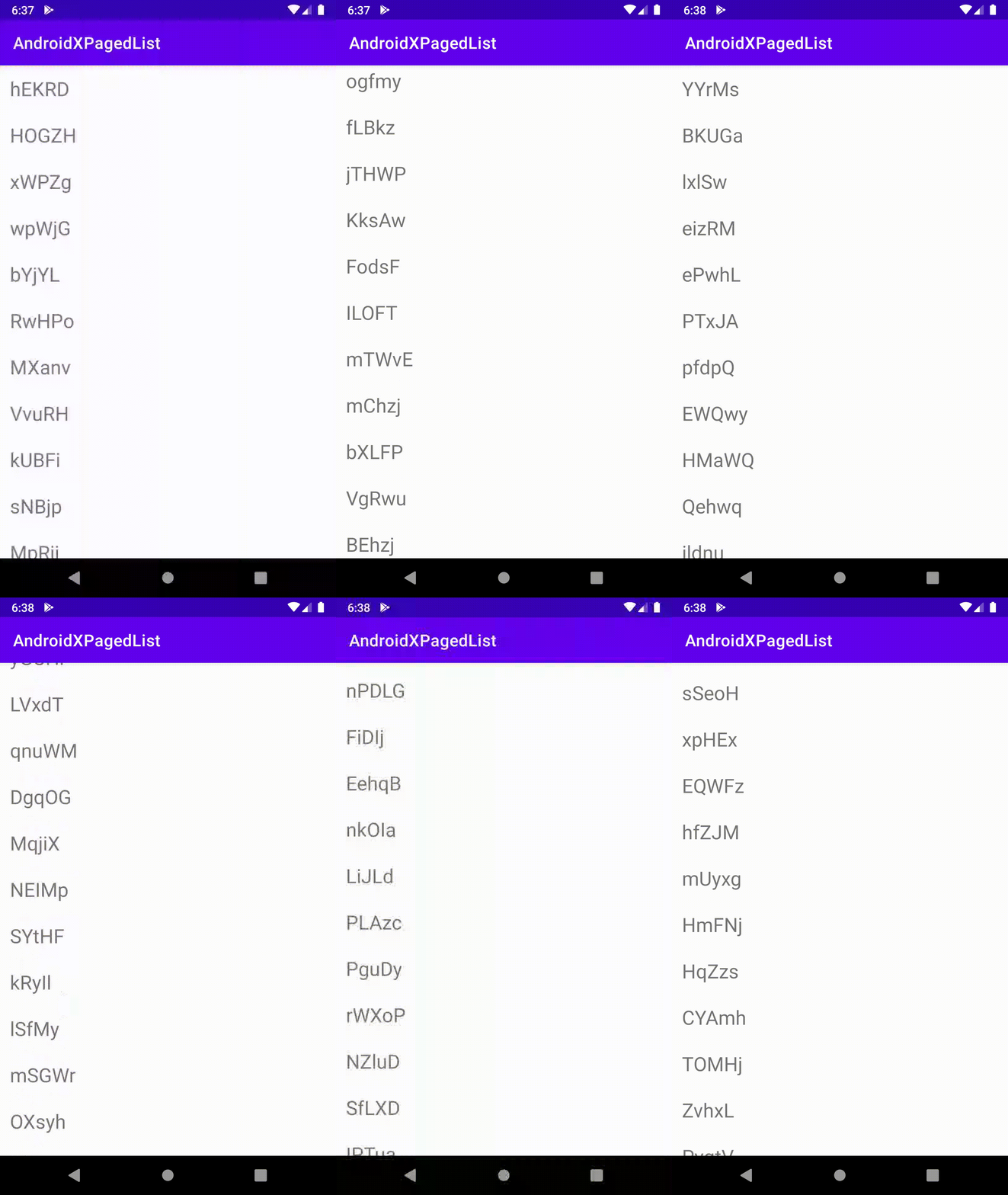
Here’s a GIF of the working sample.
Source Code
You can find the complete source code used in this sample on Github.
maskaravivek/AndroidXPagedList
Written on June 15, 2020 by Vivek Maskara.
Originally published on Medium

Vivek Maskara
Senior SDE @ Micromart
I build apps, write about tech, and ship products used by thousands. Senior SDE @ Micromart.