Automate App Localization with a LangChain-Powered GitHub Action
Stop manually translating strings. Let AI handle it — automatically, on every push.
Writing a dev blog? I built mdedit.ai and use it to write mine. Join 8,000+ writers.
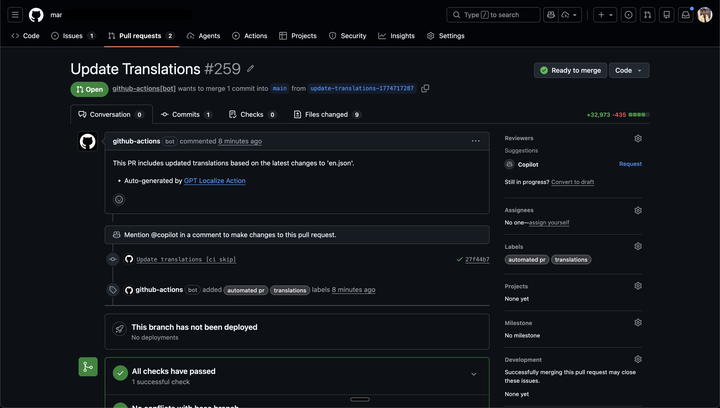
Localization is one of those tasks that’s easy to procrastinate. You ship your app, it does well, and then someone asks: “Is it available in Spanish?” You look at your codebase, see hundreds of string keys in en.json, and immediately feel the dread of having to translate all of them — and then keep those translations in sync every time you update your copy.
That was me, across 7+ apps.
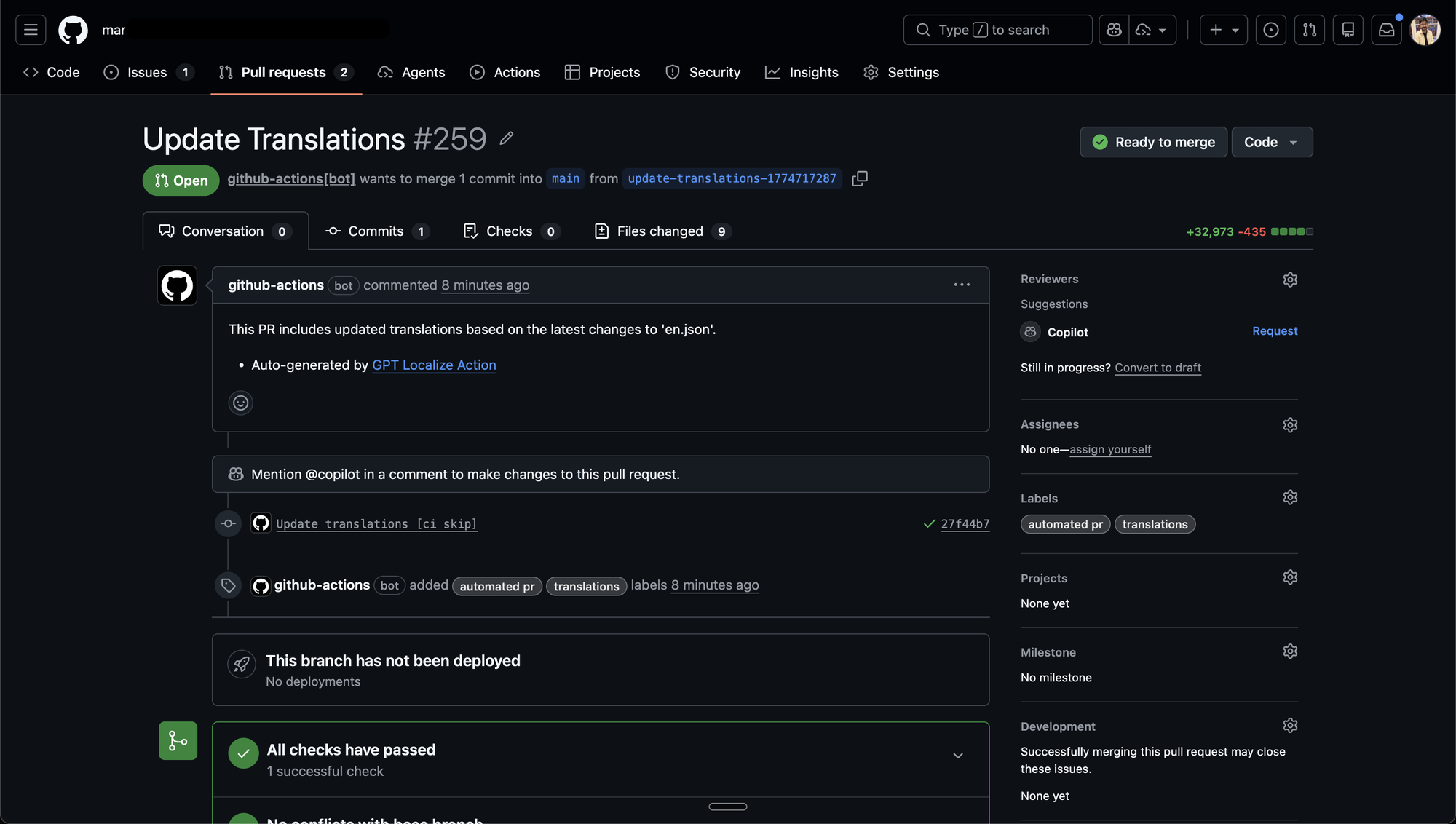
So I built gpt-localize-action — a reusable GitHub Action that automatically keeps your translation files in sync using AI. It detects changes to your base English file, translates only what changed, and opens a pull request (or commits directly) — all without you lifting a finger.
The Problem
My apps use the standard i18n pattern: a locales/ directory with one JSON file per language (en.json, es.json, fr.json, etc.). Every time I added a new feature, I’d add strings to en.json and then… forget to update the other languages. Or I’d update the English copy for an existing string and the translated versions would silently fall out of sync.
Manual translation is tedious. Hiring a translator for every small copy update is expensive. I needed something that “just worked” as part of my existing CI/CD pipeline.
What gpt-localize-action Does
At a high level, the action:
- Detects what changed in your
en.jsonsince the last commit — new keys, deleted keys, and updated values. - Translates only the diff, not the entire file. This keeps API costs low and is fast.
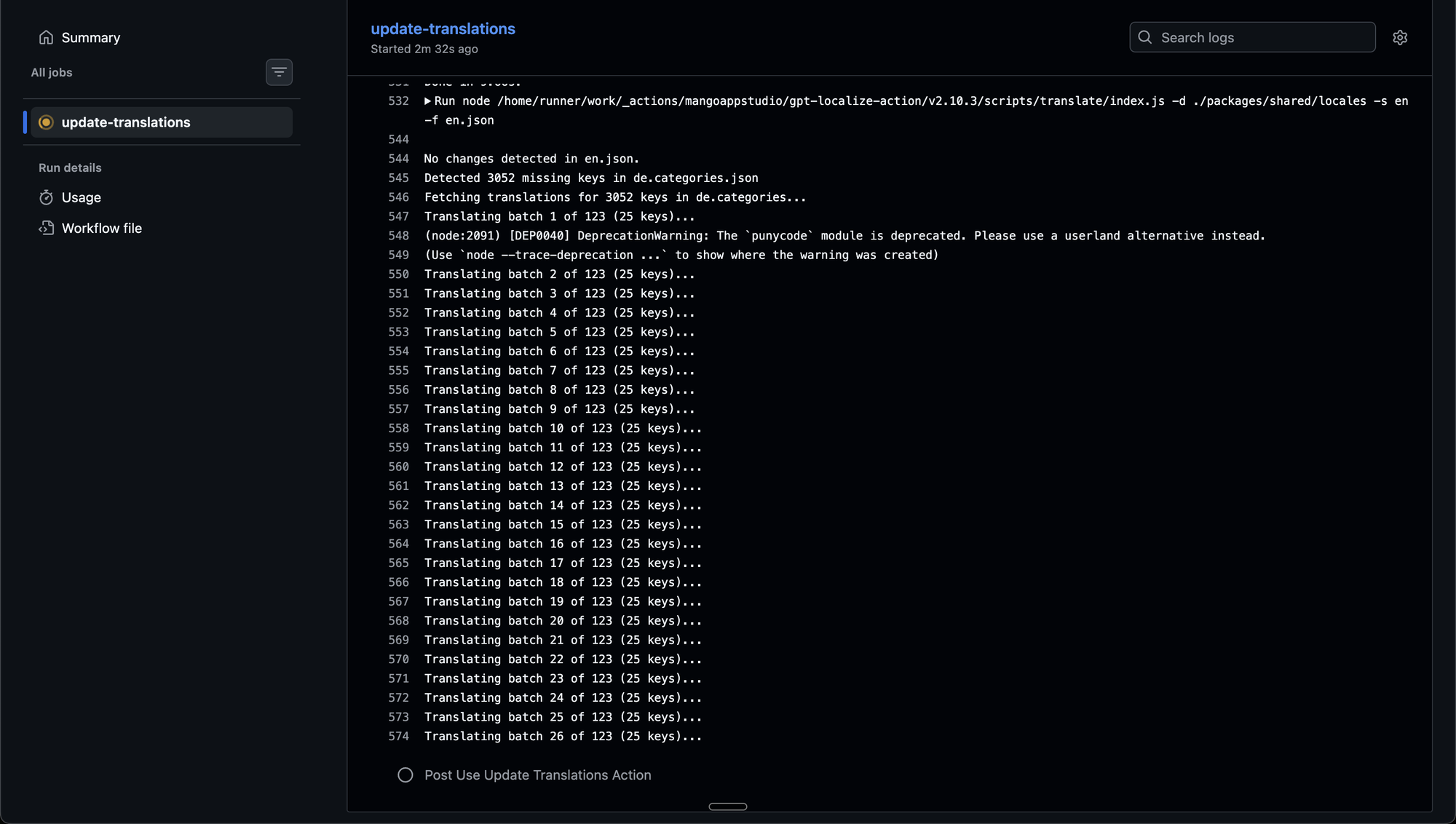
- Batches requests into chunks of 25 keys at a time, so it can safely handle large sets of changes without hitting rate limits or token limits.
- Applies the changes to all target locale files — adding new translations, updating changed ones, and removing keys that were deleted from the source.
- Opens a pull request (or commits directly to the branch, if you prefer) so you can review before merging.
It handles the full lifecycle of string management:
- Adding strings — new keys in
en.jsonget translated and added to all locale files automatically. - Deleting strings — keys removed from
en.jsonare cleaned up from every locale file, so you don’t accumulate dead translations. - Updating existing strings — if you tweak the English copy, the action re-translates just that key across all languages.
The batching is particularly important for real-world use. If you’ve been neglecting translations for a while and suddenly add 100 new keys, the action won’t choke — it breaks the work into manageable chunks, with built-in retry logic and exponential backoff for rate limits.
Works with OpenAI and Anthropic
The action supports both OpenAI (GPT-3.5, GPT-4) and Anthropic (Claude 3 Haiku, Sonnet, Opus) out of the box. You pick whichever provider you already have a key for, or whichever one fits your cost/quality tradeoff.
It also correctly preserves interpolation variables like {{userName}} or {{count}} during translation, so your dynamic strings stay intact.
How to Use It
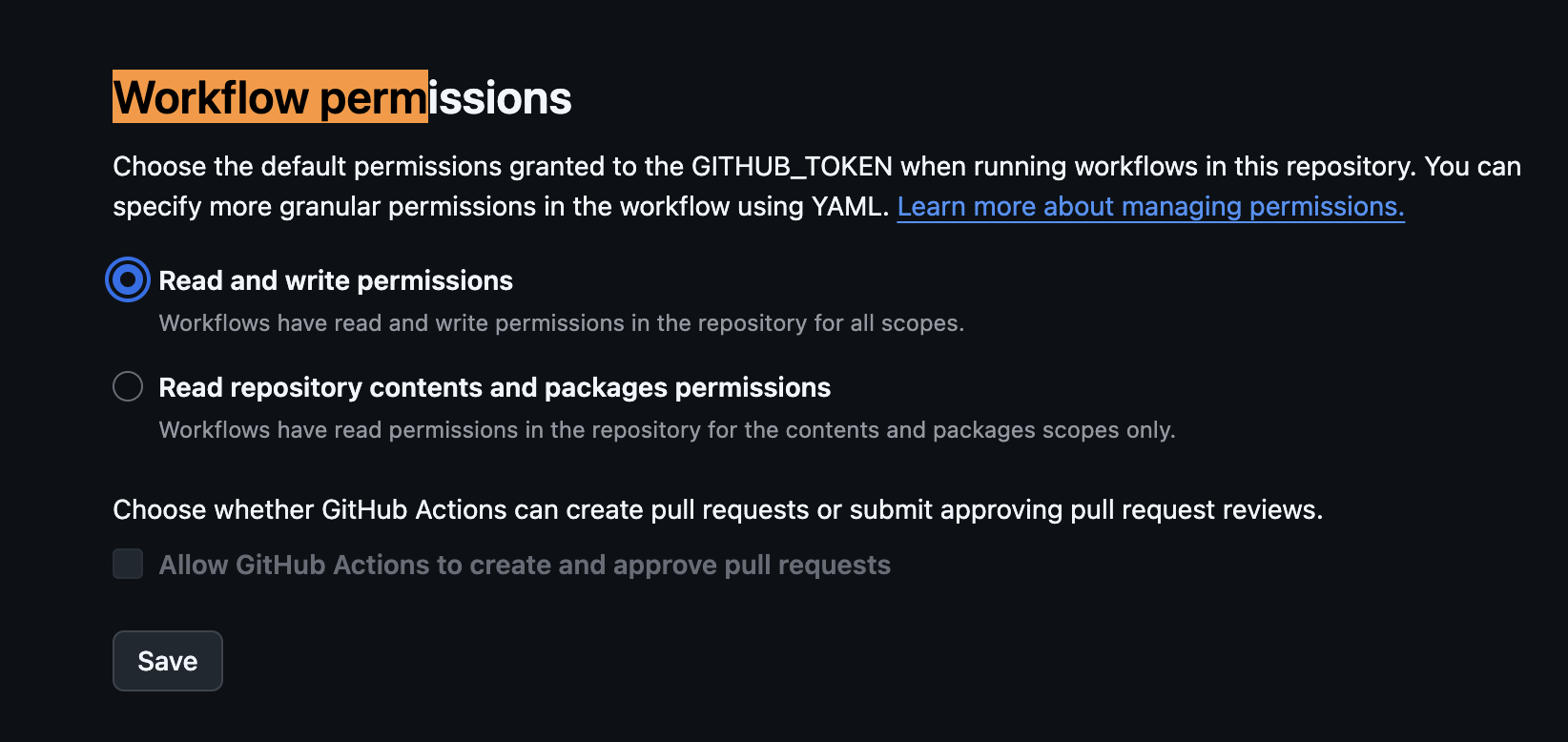
The setup is minimal. Before adding the workflow, make sure your repository has Read and write permissions enabled under Settings → Actions → General → Workflow permissions. This allows the action to push commits and open pull requests.
Here’s a complete workflow that runs on demand (workflow_dispatch) and uses OpenAI:
| |
That’s all you need. Add your OPENAI_API_KEY (or ANTHROPIC_API_KEY) as a repository secret, point locales_path at your translations directory, and you’re done.
Using Anthropic Claude Instead
Prefer Anthropic? Just swap the provider:
| |
Claude 3 Haiku is the default for Anthropic and is extremely fast and cost-effective for translation tasks. You can also use claude-3-sonnet-20240229 or claude-3-opus-20240229 for higher quality.
Committing Directly Instead of Opening a PR
If you want translations applied directly to the branch without a review step:
| |
Trigger It Automatically on Changes to en.json
You can also wire it up to run automatically whenever your base translation file changes:
| |
Now every time you push a change to en.json, translations are updated and a PR is opened automatically.
Works for React, React Native, and Any i18n-Compatible App
The action operates purely on JSON files, so it works with any framework that uses the locale/en.json convention. That includes:
- React with
react-i18nextori18next - React Native with
react-i18nextori18n-js - Any other stack that uses flat or nested JSON translation files
Your locales/ directory just needs to look something like this:
locales/
  en.json      ← base language (source of truth)
  es.json      ← auto-maintained
  fr.json      ← auto-maintained
  de.json      ← auto-maintained
  ja.json      ← auto-maintained
The action reads en.json, diffs it against git history, and propagates changes to every other .json file in the same directory.
Why I Keep Using It
I now have this action running across 7+ repos. The workflow is: I add or change strings in English, push the commit, and within a few minutes I have a PR with all the translations updated. I review it, merge it, done.
No more stale translations. No more copy-pasting strings into ChatGPT manually. No more translation keys that exist in en.json but nowhere else.
If you’re maintaining a multi-language app and doing translations manually, give it a try. The action is open source at github.com/mangoappstudio/gpt-localize-action and takes about five minutes to set up.

Vivek Maskara
Senior SDE @ Micromart
I build apps, write about tech, and ship products used by thousands. Senior SDE @ Micromart.